
Vibe Chat - Pillow Talk
ASDA TREASUREREntertainment
4.229.00 Reviews
- Version
- 1.0.1
- Installs
- 50.00K
- Age Rating
- Mature 17+
Screenshots
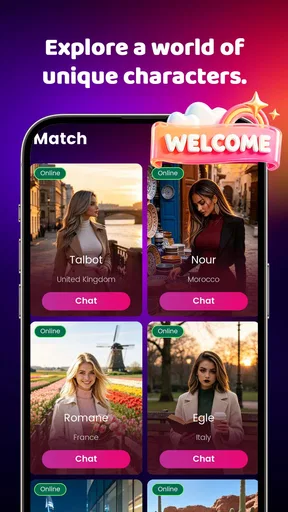
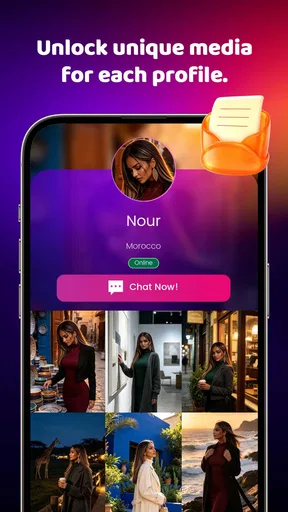

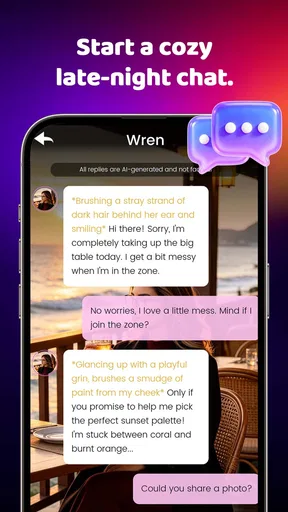

Our Review of Vibe Chat - Pillow Talk
 Analysis by Appyee
I approached Vibe Chat - Pillow Talk as an entertainment app for moments when I wanted a digital conversation partner rather than another feed to scroll. Its central idea is simple: choose a partner that fits your mood and start chatting. That makes it feel more personal than a conventional media app, but it also means the quality of the experience depends heavily on how comfortable you are with open-ended conversation and how clearly the app communicates what is happening on screen.
The app is free, comes from ASDA TREASURER, and is listed for mature users aged 17 and over. It is available for devices running Android 8.0 or later, with version 1.0.1 being the version I reviewed. The store presents it as an entertainment product, and that is the right expectation: I would not treat it as a productivity tool, a professional support service, or a substitute for a real relationship. Its appeal is the private, mood-led interaction it tries to create.
How Vibe Chat - Pillow Talk handles reading and navigation
The first thing I noticed is that this is an app where wording matters as much as buttons. A mood-based chat experience asks me to interpret labels, prompts, and conversational cues before I can decide what to do next. That can be inviting when the interface keeps the choices clear, but tiring when the app expects me to understand a vague prompt without enough context. For someone who prefers direct navigation, the difference between “choosing a vibe” and simply opening a chat can affect the whole first impression.
I found the concept easiest to approach when I treated each screen as a short decision rather than trying to predict the entire conversation. Pick the mood that feels closest, read the opening exchange carefully, and then respond in my own words. This is a useful workflow for people who can feel overwhelmed by too many options: make one choice, test the tone, and continue only if it feels comfortable. It also reduces the temptation to judge the app from its first line alone.
Readability is especially important here because conversational apps can place a lot of meaning in small pieces of text. A short prompt may establish the tone, while a response may invite a particular kind of interaction. I recommend using the device’s normal display settings, increasing text size if needed, and checking whether larger text causes any controls to become crowded. I would not assume that every layout remains equally easy to scan at every system font size, so people who rely on enlarged text should test the opening flow before settling into longer sessions.
Navigation also has a different rhythm from a typical entertainment app. There may be less of a visible “goal” than in a game, and the useful action is often simply replying. That can be relaxing for users who dislike complicated menus, but it may feel directionless for anyone expecting a clear progression system. I found it more helpful to set my own purpose before opening the chat: a few minutes of light conversation, a way to unwind, or a quick experiment with a different mood.
The app’s strongest readability feature is the basic familiarity of chat itself. Most people already understand the pattern of reading a message, composing a reply, and waiting for the next exchange. That familiar structure lowers the learning curve. The less familiar part is the emotional framing, because “match my mood” is more subjective than selecting a playlist or choosing a video category. Users who prefer explicit categories may need a little patience while deciding which conversational direction suits them.
One practical tip is to avoid treating the first available partner as a permanent choice. I got more value by comparing the tone of the available options and asking whether the conversation felt natural, calming, playful, or simply mismatched. This turns the selection screen into a useful filter rather than a commitment. It also helps users who have difficulty describing their feelings: instead of naming the mood perfectly, choose the closest option and judge the result from the conversation itself.
What the chat format means for different reading styles
For confident readers, the short-message format is quick to understand. For users with dyslexia, attention difficulties, language-processing differences, or fatigue, the experience may be more demanding because the meaning is not limited to visible controls. Tone, implication, and conversational context all matter. I would use shorter sessions, pause between exchanges, and avoid trying to read while multitasking. The app is easier to enjoy when I give it focused attention rather than treating it as background entertainment.
People who prefer predictable scripts may also find the open-ended design less comfortable than a guided story app. A story gives me known characters, a visible sequence, and a clearer sense of what comes next. Vibe Chat - Pillow Talk is more flexible, but that flexibility shifts some of the work to the user. I have to decide what to say, how personal to be, and when the conversation has reached a natural stopping point.
That trade-off is important for anyone deciding whether to install it. If you want an app that tells you exactly where to tap and what objective to complete, this may feel too loose. If you enjoy choosing the emotional direction yourself, the same looseness can be the main attraction.
Motor, sensory, and communication considerations
A chat app can be physically simpler than an action game because it does not demand rapid movement, repeated tapping, or precise timing as part of the basic interaction. In my use, the main physical task is selecting options and typing replies. That makes it potentially more manageable for users who avoid fast-paced interfaces, although the comfort of the experience still depends on the phone, keyboard, and system settings being used.
Typing is the biggest motor consideration. Long replies require repeated keyboard interaction, and that may be uncomfortable for people with limited dexterity, hand pain, tremors, or fatigue. I found that short responses work well enough for casual use, so there is no need to compose a paragraph every time. A few words can keep the exchange moving. Users who rely on voice input may find that easier, but the result can vary with the phone’s keyboard and speech-recognition tools rather than with the app itself.
External keyboards, switch access, screen magnification, and other device-level tools can change how usable the app feels. I would test those tools during a brief session instead of assuming that support will be perfect. The important question is whether I can reach the conversation, place focus in the reply field, send a message, and return to the relevant control without losing track of the exchange. Those steps matter more than a general claim that the app is accessible.
Sensory comfort is equally personal. A mood-focused chat may feel quieter than a video-heavy entertainment app, especially for people who want to avoid constant motion or loud media. At the same time, conversational tension can be emotionally stimulating even when the screen is visually simple. Someone sensitive to suggestive themes, intense wording, or unexpected changes in tone should remember that the mature age classification is meaningful. I would not hand this app to a younger user or open it in a setting where private content could appear unexpectedly.
Notifications and interruptions can also affect sensory comfort and privacy. I prefer to keep entertainment chats away from moments when I am driving, working, studying, or sharing a screen with other people. Even a harmless-looking message can feel intrusive if it arrives at the wrong time. The safest routine is to open the app intentionally, use it in a private setting, and review the phone’s notification behavior if unexpected previews would be a problem.
For users who communicate better through writing than speech, the format has a natural advantage. I can take a moment to decide what I mean before sending it, and I am not required to respond instantly as I would be in a live voice conversation. That pause can make the experience more comfortable for people with social anxiety or communication differences. However, the app should still be viewed as entertainment, not as a guaranteed source of emotional care. If a conversation leaves me distressed, I would close it and turn to a trusted person or an appropriate real-world support service.
Using it in ordinary situations
A realistic use case is a quiet evening after a busy day. I might have ten minutes before bed, want some light interaction, and not feel ready to call a friend. I can choose a conversational mood, exchange a few messages, and stop without arranging anything with another person. That is where the app makes the most sense to me: a low-commitment way to fill a small gap in the day.
It is less suitable in public places where privacy is limited. On a bus, in a waiting room, or beside someone who can see the screen, a mature conversation may be awkward even if I am not actively doing anything wrong. I would also avoid using it when I need full concentration. The app is designed to draw me into a personal exchange, so it competes with other tasks more than a passive audio app would.
For people with limited internet confidence, the best approach is to start with one short session and learn the pattern gradually. The app’s value does not require an elaborate setup or a long commitment. For users who are easily fatigued, a timer can help prevent a casual chat from becoming an unexpectedly long session. This is one of the more useful habits I developed: decide the intended length before opening the app, then leave when the interaction no longer feels enjoyable.
It may also suit users who want to explore different conversational moods without exposing personal details to another human being. I recommend keeping replies general at first. Avoid sharing passwords, addresses, financial information, private contact details, or anything that would make you uncomfortable if it appeared on your screen in front of someone else. The more personal the conversation feels, the easier it is to forget that this remains a digital entertainment experience.
Where the experience still creates barriers
The biggest limitation is that the app’s core idea is subjective. “Matching” a mood sounds convenient, but moods are rarely neat categories. I can feel tired and curious, lonely and private, or playful but easily overwhelmed. If the available choices do not reflect that combination, I have to compromise. That is not necessarily a flaw in the interface, but it means the app may feel less precise for users who want careful emotional control.
Another barrier is uncertainty. A conventional streaming app lets me preview a film, read a description, or choose a familiar genre. A chat partner is harder to evaluate before the conversation begins. I may need to spend time testing the tone and deciding whether it fits. For someone with limited energy, that trial-and-error can be frustrating. The app works best for users willing to experiment rather than those who need a guaranteed emotional result.
The mature classification also narrows the audience. It may be appropriate for adults seeking more intimate or suggestive conversation, but it makes the app unsuitable for children, family devices, classrooms, and many shared environments. Parents should not treat the free price as a reason to ignore the age guidance. The absence of a purchase cost does not change the type of content the app is intended to provide.
Compared with ordinary messaging apps, this experience is easier when I want interaction without asking a friend to be available, but it lacks the mutual history and real-world understanding of a trusted relationship. Compared with social networks, it can feel more focused because I am not moving between posts, comments, and public profiles. Compared with interactive fiction, it offers a more conversational premise but may provide less structure. I would choose it for mood-led companionship, a messaging app for genuine human contact, and a story-driven app when I want a defined narrative.
People who need strong accessibility documentation, highly predictable navigation, or a clearly moderated support environment should be cautious. I would test the app with the device settings and assistive tools I depend on, then decide based on actual comfort rather than the concept alone. Likewise, anyone looking for therapy, crisis help, or dependable advice should choose a qualified service instead. The app’s entertainment category sets a useful boundary around what it can responsibly provide.
There is also a practical trade-off between privacy and convenience. A more personal conversation can feel rewarding, but it encourages deeper disclosure. I found that the best balance was to use fictional or everyday topics until I understood the tone, then decide whether continuing felt appropriate. This small rule makes the experience less risky and gives me an easy exit if the interaction becomes uncomfortable.
A balanced verdict for inclusive use
Vibe Chat - Pillow Talk is an unusual entertainment app because its main feature is not a library of things to watch or a challenge to complete. It offers a mood-based chat experience, and I can see why that appeals to adults who want a brief, private-feeling conversation without the demands of a social network. The familiar chat format is approachable, while the open-ended design leaves room for users to shape the exchange in their own way.
Its accessibility story is more about the simplicity of the interaction than about specialized tools. Short written exchanges, slower pacing, and device-level text or input settings may help many people. Users who communicate best through typing can benefit from having time to formulate a reply. People who avoid fast visual action may also find it calmer than many entertainment alternatives.
Still, I would not call it universally easy to use. Reading between the lines, choosing a mood, managing personal boundaries, and typing repeatedly can all create friction. The mature content rating limits where and by whom it can be used, and the lack of a fixed narrative may frustrate users who need predictable outcomes. Those are not minor details; they determine whether the app feels relaxing or demanding.
The app has built a modest audience, with an average rating of 4.2 from around 450 ratings and more than 50 thousand installs. Those figures suggest genuine interest, but I would still make the decision based on the type of interaction rather than popularity. The free price makes a short trial practical, provided the user is an adult and comfortable with the mature positioning.
My recommendation is straightforward: try it when you want a flexible, mood-led chat and can give the conversation a private, focused moment. Start with limited personal information, use short replies, adjust your phone’s text and input settings, and leave when the tone no longer suits you. If you need real human connection, structured storytelling, professional support, or carefully documented accessibility, another option will be better. For the right adult user, however, Vibe Chat - Pillow Talk can be an approachable way to explore digital companionship on your own terms.
Verdict
Strengths of Vibe Chat - Pillow Talk
- Private, relaxed setting encourages more personal conversations.
- Simple interface makes it easy to start and continue chats.
- Useful for meeting people with similar interests and moods.
- Conversation prompts can help avoid awkward opening messages.
- Works well for short, casual conversations on mobile.
Limitations of Vibe Chat - Pillow Talk
- The user base may be smaller than on mainstream chat platforms.
- Some conversations may feel repetitive or lack meaningful depth.
- Privacy settings should be checked carefully before sharing personal details.
- Activity and response quality can vary depending on the time of day.
- Some features may require purchases or premium access.
Similar Picks in This Category
View All
Google Play Games
Google LLC3.9

Netflix
Netflix, Inc.4.8

YouTube Kids
Google LLC4.2

Disney+
Disney4.4

Prime Video
Amazon Mobile LLC4.7

Steam
Valve Corporation3.2
Frequently Asked Questions
What is Vibe Chat - Pillow Talk, and how does it work?
Vibe Chat - Pillow Talk is a conversation-focused app designed for relaxed, personal interactions, often centered around sharing thoughts, feelings, and late-night conversations. After installing it, users can generally create a profile, explore available chat features, and connect with other people through text-based communication. The exact experience may depend on the current version, regional availability, and the permissions requested during setup.
Is Vibe Chat - Pillow Talk safe and private to use?
Before using Vibe Chat - Pillow Talk, review its privacy policy and account settings carefully. Chat applications may collect profile details, messages, device information, or usage data, depending on their features. Avoid sharing passwords, financial information, your home address, or other sensitive details with strangers. Use blocking and reporting tools whenever available, and remember that conversations may not be completely private if screenshots or other recording methods are used.
Is Vibe Chat - Pillow Talk free to download and use?
Vibe Chat - Pillow Talk may be available as a free download, but some features can require in-app purchases, subscriptions, or other paid upgrades. Check the app store listing for the current pricing, trial terms, renewal conditions, and included features before confirming payment. If a free trial is offered, read when billing begins and cancel through your Google Play or Apple account settings if you do not want to continue.
Do I need to create an account to use Vibe Chat - Pillow Talk?
An account may be required to access the main communication features of Vibe Chat - Pillow Talk, especially if the app supports profiles, saved conversations, matching, or contact management. During registration, you might be asked for information such as an email address, username, age, or profile preferences. Use accurate information where necessary, but avoid adding more personal data than the app genuinely needs.
What should I know before chatting with people on the app?
Vibe Chat - Pillow Talk is intended for personal conversation, so users should approach interactions thoughtfully and maintain clear boundaries. Do not assume that someone’s profile represents their real identity, and be cautious if a person pressures you to move conversations elsewhere, send money, or reveal private information. Keep communication respectful, use the available safety controls, and report suspicious, abusive, or inappropriate behavior promptly.
